The ETABS workflow you know, with the checking built in.
Open your models, analyse frames, shear walls and slabs, and design to CSA, ACI and AISC with a calculation sheet for every check. Each run comes with an independent hand check, and Python and an AI assistant work on the live model.
Start from the models you already have
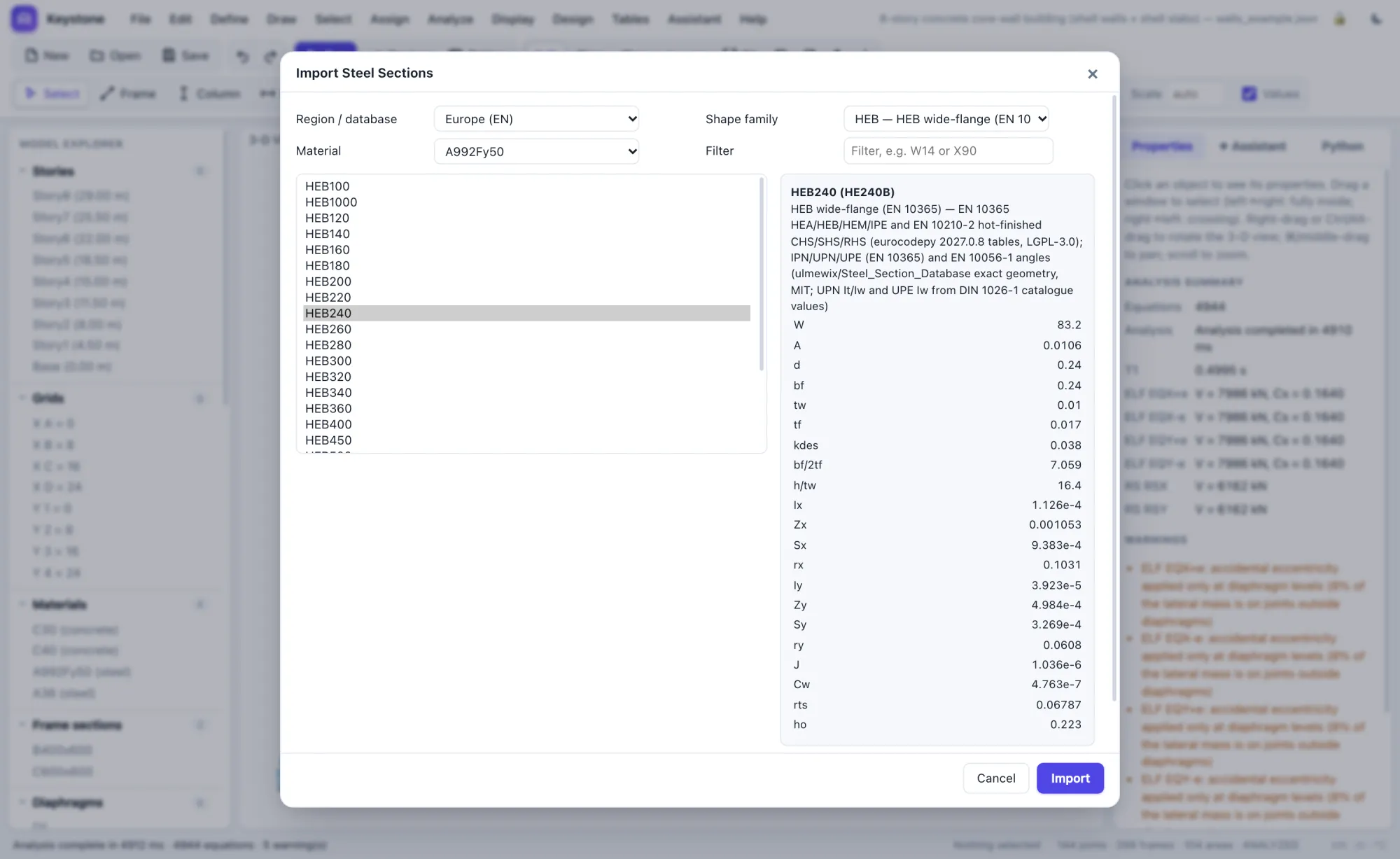
Open .e2k files in the browser, or .EDB files in the Windows app through your installed ETABS. Frames, walls, slabs, library sections, loads, auto lateral loads, cases, spectra and combinations come across, and anything unsupported is listed. Compare with ETABS runs both programs on the same model and lists periods, reactions, story shears and drifts side by side.
- More than 12,000 steel shapes from 11 regions: AISC, CISC, EN, IS 808, BS, AS/NZS, GB, JIS, KS, Nordic and GOST
- 161 concrete, steel and rebar grades, each with its source
- Export back to .e2k
Shear walls and slabs as real shell elements
Draw walls and slabs, or import them from ETABS. zspan meshes them automatically, reports pier forces, and runs response-spectrum analysis with load-dependent Ritz vectors, so a 30-storey core-wall tower solves in about two seconds in your browser.
- Shell-Thin (discrete Kirchhoff) and Shell-Thick elements
- Pier forces, wall stress contours, mode-shape animation
- Rigid diaphragms, P-Delta, accidental torsion, mass lumped at stories
Every design check shows its work
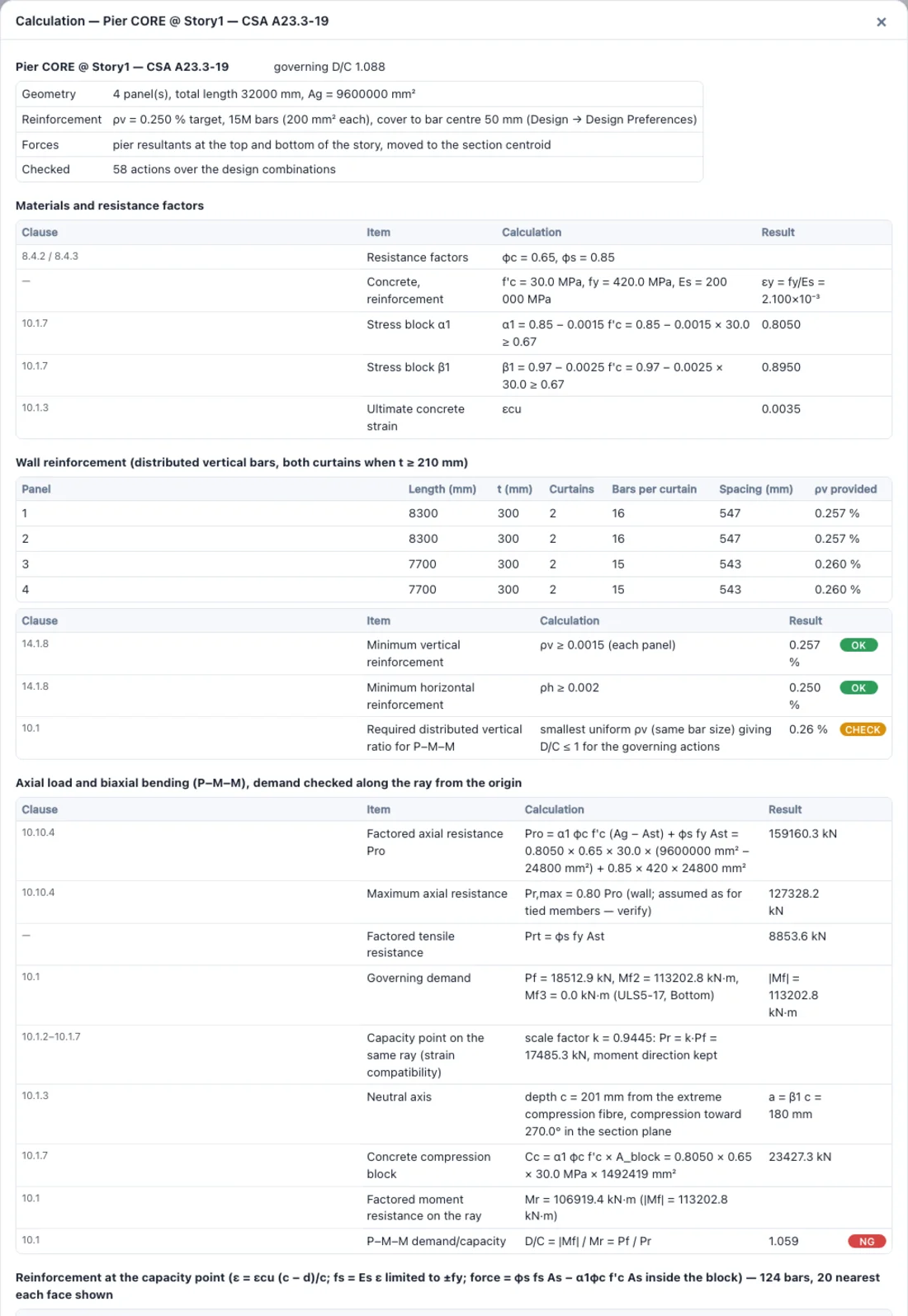
CSA A23.3 columns, walls and beams, CSA S16 steel, and ACI and AISC members each get a calculation sheet: the clause, the formula with the actual numbers substituted, and the result. Bar-by-bar strains at the capacity point, the shear method used, the required reinforcement when a check fails, and a list of what is not checked.
- Biaxial P–M–M by strain compatibility on the real section, including L, C, T and box walls
- CSA Clause 21 ductile and moderately ductile walls (in progress): capacity-design shear, plastic hinge region, inelastic rotation; boundary zones, coupling beams and squat walls are not yet checked
- One printable calculation package: cover, model, loads, results, checks and every sheet
NBC 2020 and ASCE 7-16, every parameter explained
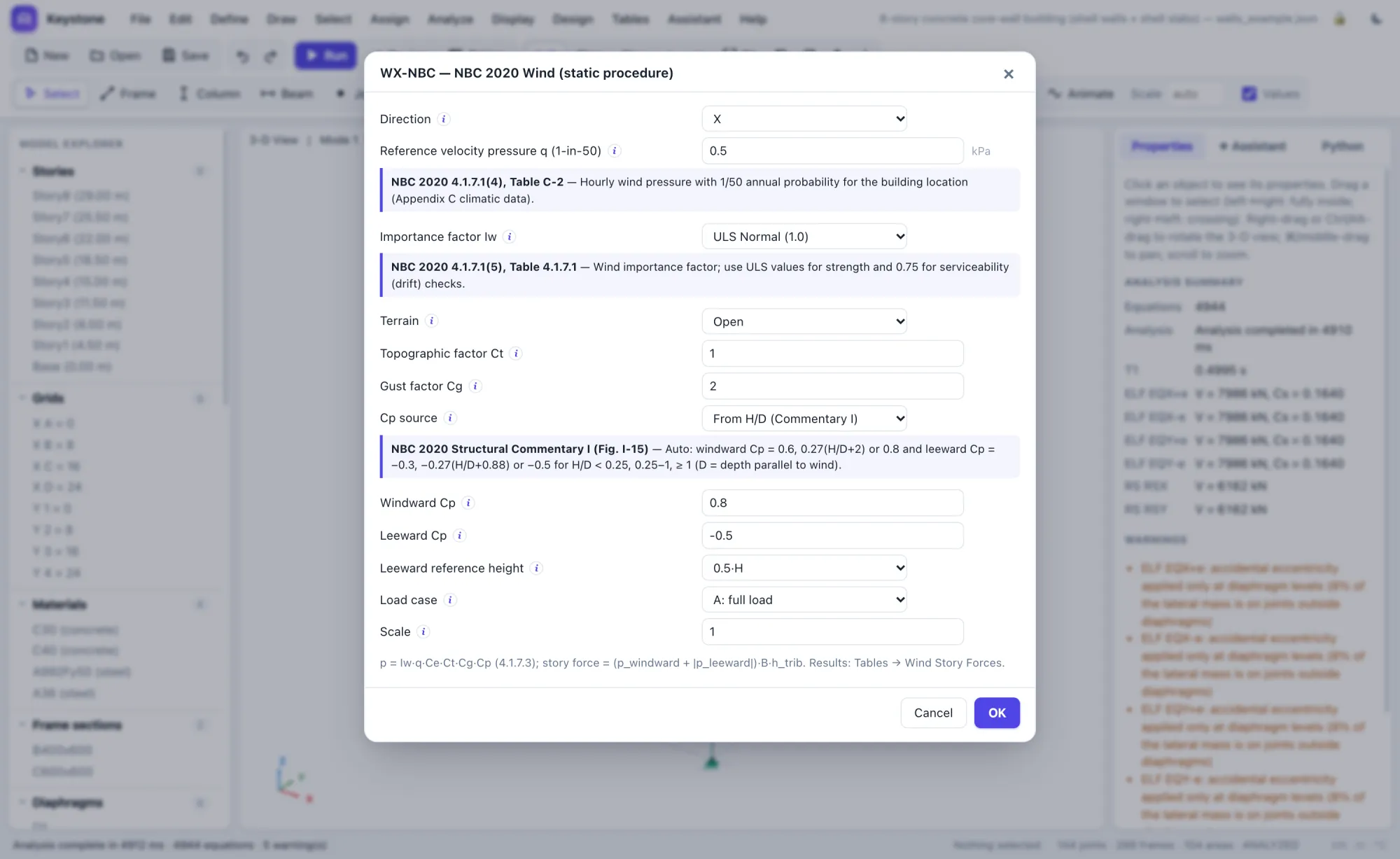
Seismic and wind loads are generated from the code, and every input carries the clause it comes from and a plain-language explanation, so juniors learn while they model and seniors can review quickly.
- NBC 2020 equivalent static force, dynamic analysis scaling and irregularity checks
- ASCE 7-16 ELF, directional wind and §12.8.6 / §12.9.1.4 drift
- Code load combinations: NBC ULS/SLS, ASCE LRFD/ASD/service
- Metric and U.S. units: kN-m, kip-ft, kip-in
An independent check after every run
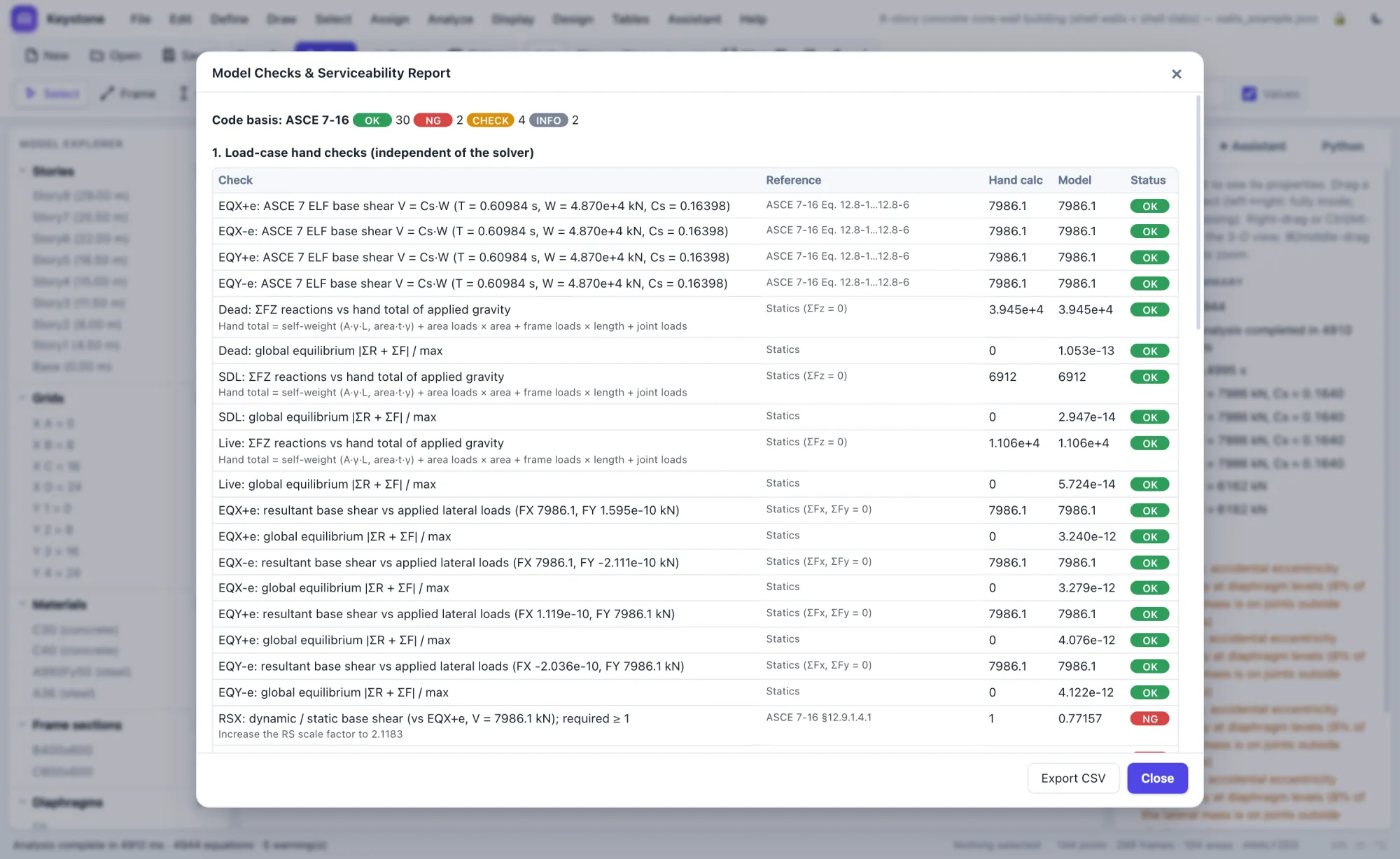
After each run, zspan recomputes gravity totals, code base shear, wind pressures and spectrum scaling by hand from the model data, independently of the solver, and checks the serviceability limits that are easy to miss.
- Gravity totals, code base shear, wind pressures, spectrum scaling
- Story drift, beam and slab deflection, support uplift
- Wall cracking under service wind (CSA modulus of rupture)
- Each check cites the code clause it comes from
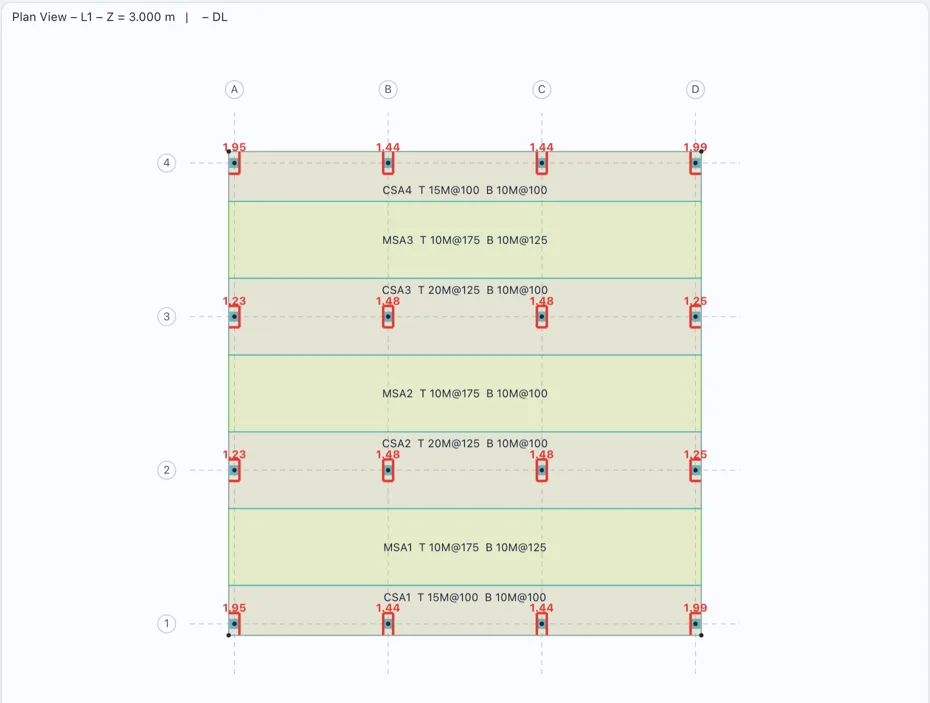
Design strips and punching shear, SAFE-style
Run slab design on any floor, on its own or inside the full building model. zspan lays out column and middle strips from your grid, takes the strip moments from the slab elements' nodal forces at every section, and designs top and bottom reinforcement with bar spacings. Every column and point support gets a punching shear check.
- CSA A23.3-19 and ACI 318-19: minimum steel, one-way shear, γv moment transfer, edge and corner columns, openings, drop panels and shear studs
- Cracked, long-term deflections with creep and shrinkage, checked against ℓ/240 and ℓ/480
- Strips and punching D/C drawn on the plan, with full tables behind them
- Matches CSI's own SAFE verification problems
Mats and footings on soil
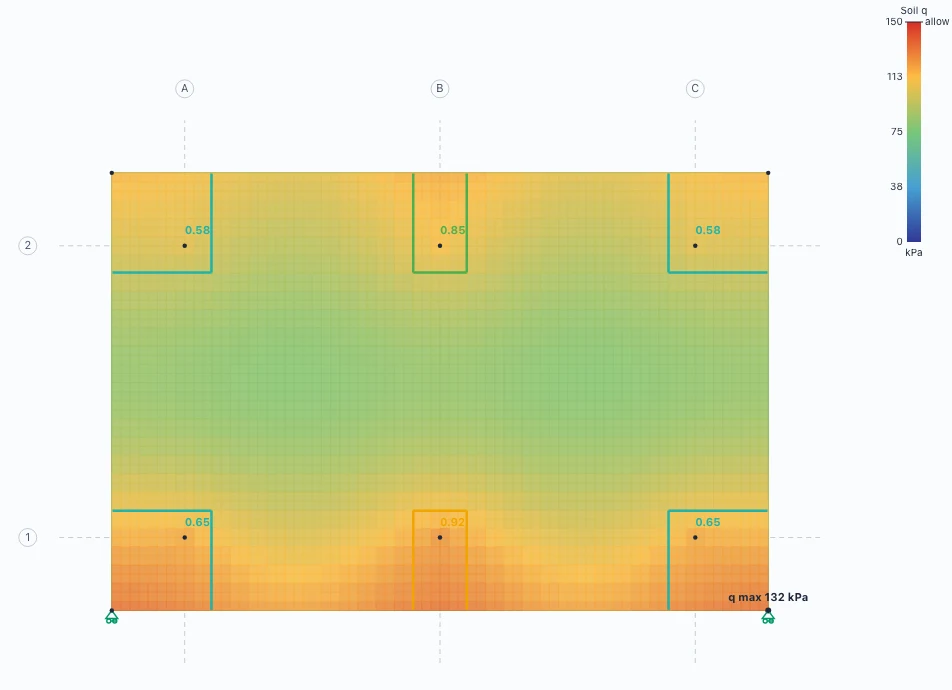
Give a slab a subgrade modulus and it becomes a mat on Winkler springs. zspan releases the springs that lift off and re-solves each combination until contact settles, checks bearing against the allowable pressure on the service combinations, and designs the mat with the same strips and punching checks as a floor, with the soil reaction inside each punching perimeter deducted.
- Compression-only soil with uplift, per combination
- Soil pressure contours and a Soil Pressures table against the allowable
- Checked against closed-form beam-on-elastic-foundation and footing-uplift solutions
Parametric studies in a few lines
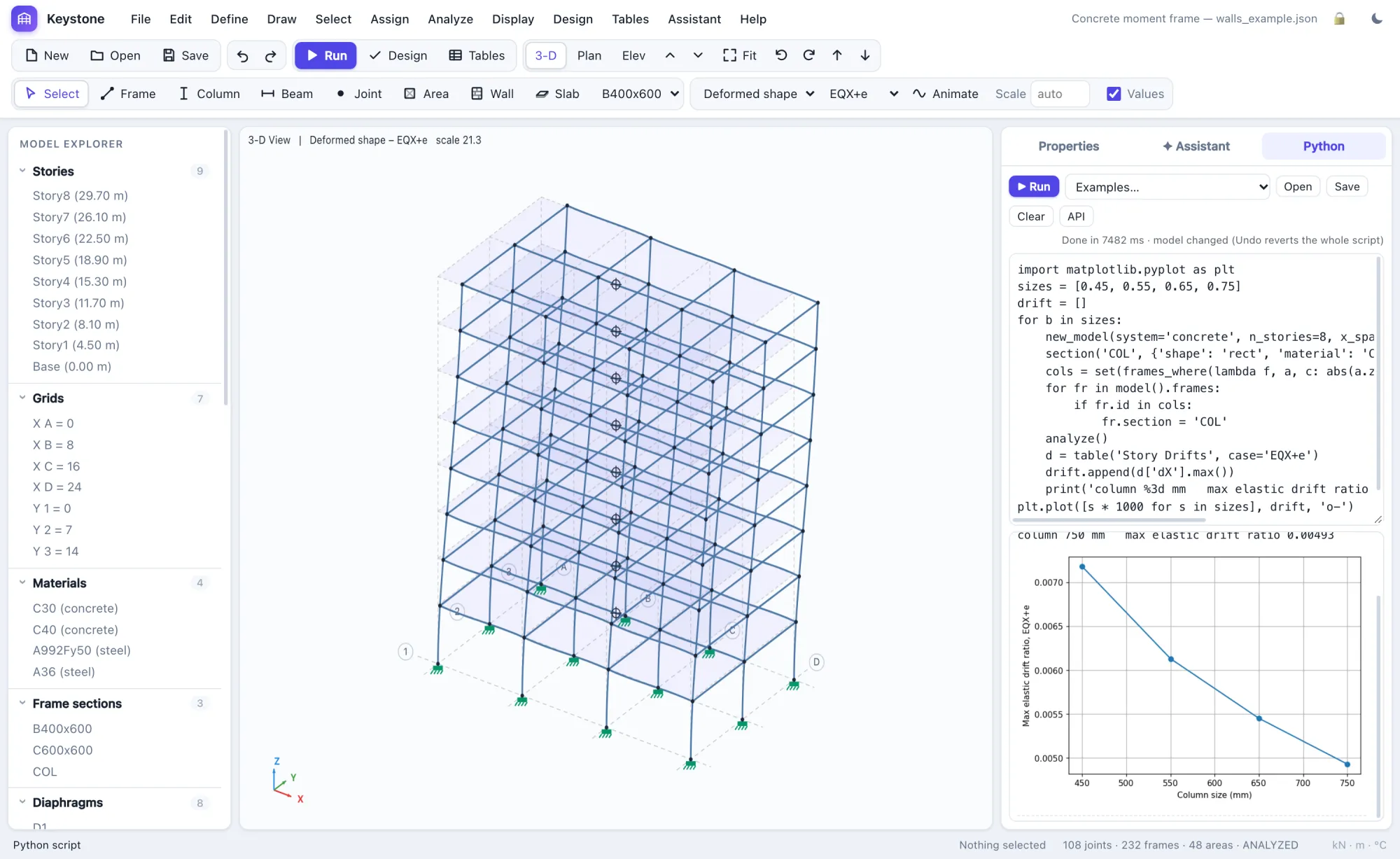
A full Python environment with numpy, pandas and matplotlib runs inside the app, offline. Loop over sizes, compare options and plot the results; every table is a DataFrame.
- The same API the assistant uses
- One script is one undo step, and errors roll it back
- Charts appear inline
Describe the structure. Ask about the results.
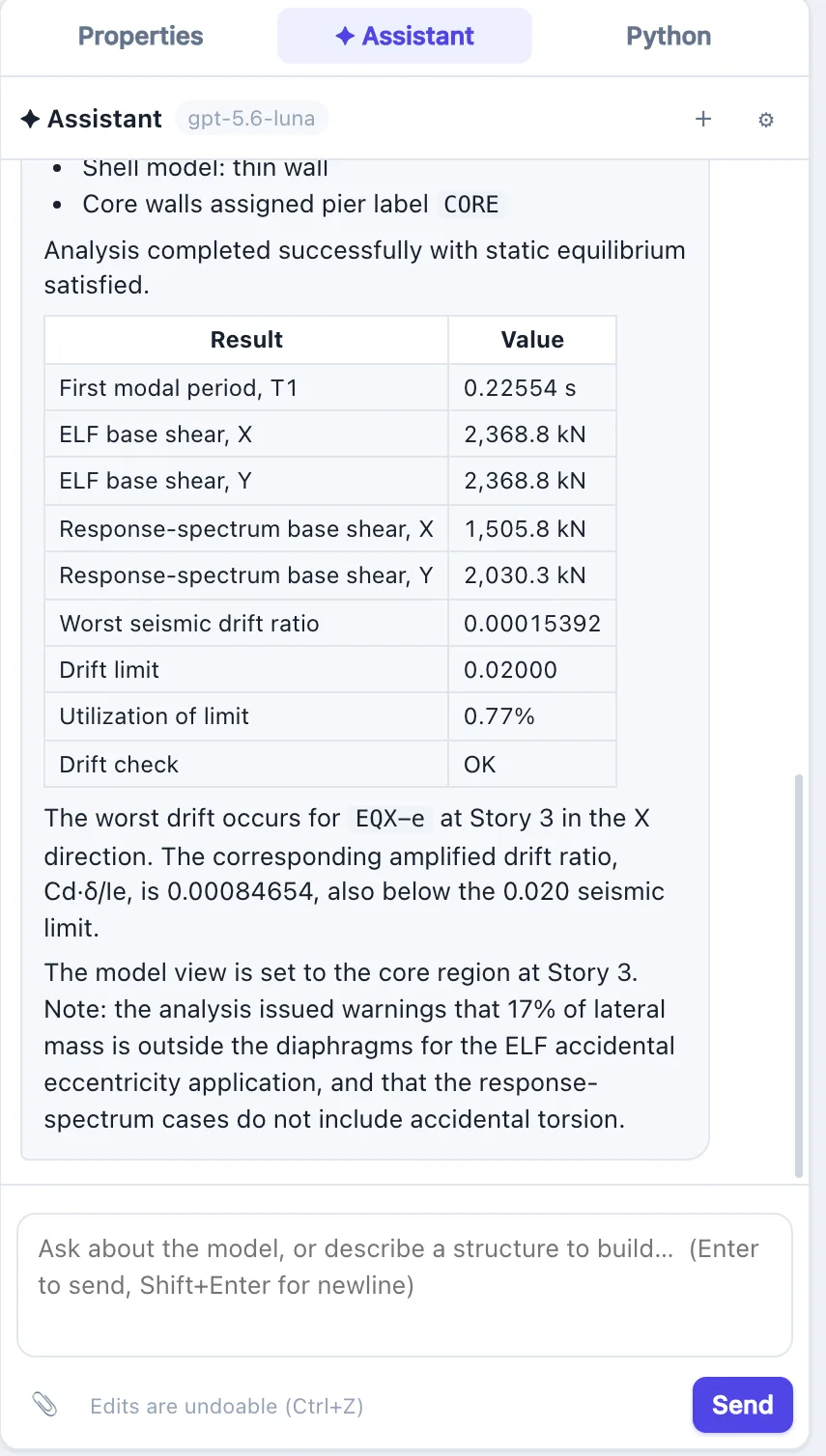
The assistant works on your live model: it builds structures, edits members and loads, runs the analysis and reads any table, and every change can be undone. Ask "why did drift increase?" and it answers from your results, not from memory.
- Builds a starting model from a description, which you then refine
- Explains results and code checks, with clause references
- Reads your firm's modelling guideline and follows it
- Works from your drawings: attach the PDF set and it reads the sheets it needs, zooming into schedules and details
- Can be turned off for any project
The rest of the toolkit.
The smaller things you reach for on every project.
Steel & concrete design
AISC 360-16, CSA S16, ACI 318-19 and CSA A23.3-19, with utilisation colours on the model.
Response spectrum & modal
CQC/SRSS, NBC and ASCE spectra, eigen or Ritz modes with Sturm checks, accidental torsion.
Tables everywhere
More than 30 output tables (pier and shell forces, drifts, modal data), all exportable to CSV.
Browser or desktop
Runs in any modern browser or as a Windows or Mac app. Analysis runs on your machine; the optional assistant sends the model data a request needs to the AI provider.
Background analysis
Large models run in the background with progress and Cancel; the page never freezes.
Undo everything
Every edit, script and assistant change is one undo step, with unsaved-changes protection.
Watch the assistant work.
A 25-storey mixed-use complex, diagnosed and fixed in four requests.